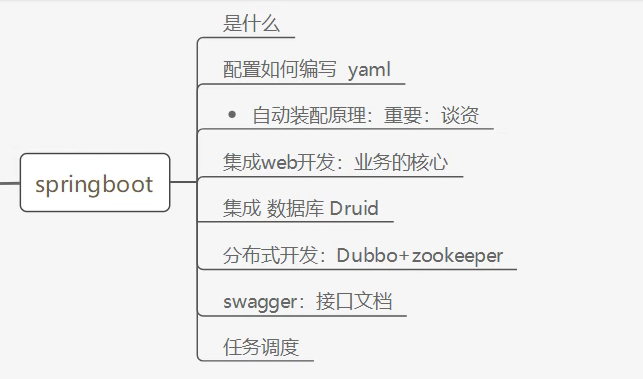
SpringBoot学习路线
什么是SpringBoot
Spring Boot基于Spring 开发,Spirng Boot本身并不提供Spring框架的核心特性以及扩展功能,只是用于快速、敏捷地开发新一代基于Spring 框架的应用程序。也就是说,它并不是用来替代Spring 的解决方案,而是和Spring 框架紧密结合用于提升Spring 开发者体验的工具。SpringBoot以约定大于配置的核心思想,默认帮我们进行了很多设置,多数Spring Boot应用只需要很少的Spring 配置。同时它集成了大量常用的第三方库配置(例如Redis、MongoDB、Jpa、RabbitMQ、Quartz 等等),Spring Boot应用中这些第三方库几乎可以零配置的开箱即用
SpringBoot的主要优点
- 为所有Spring开发者更快的入门
- 开箱即用,提供各种默认配置来简化项目配置·内嵌式容器简化Web项目
- 没有冗余代码生成和XML配置的要求
第一个SpringBoot项目
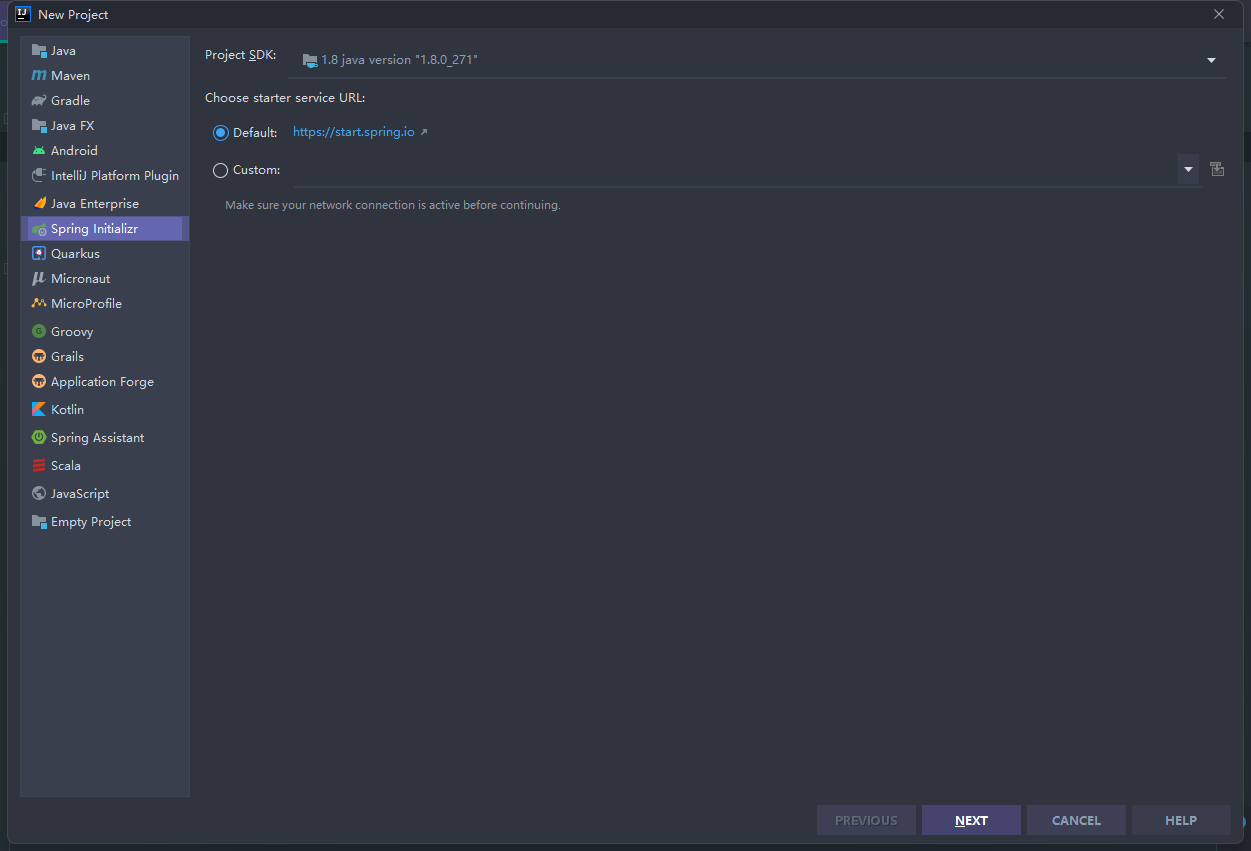
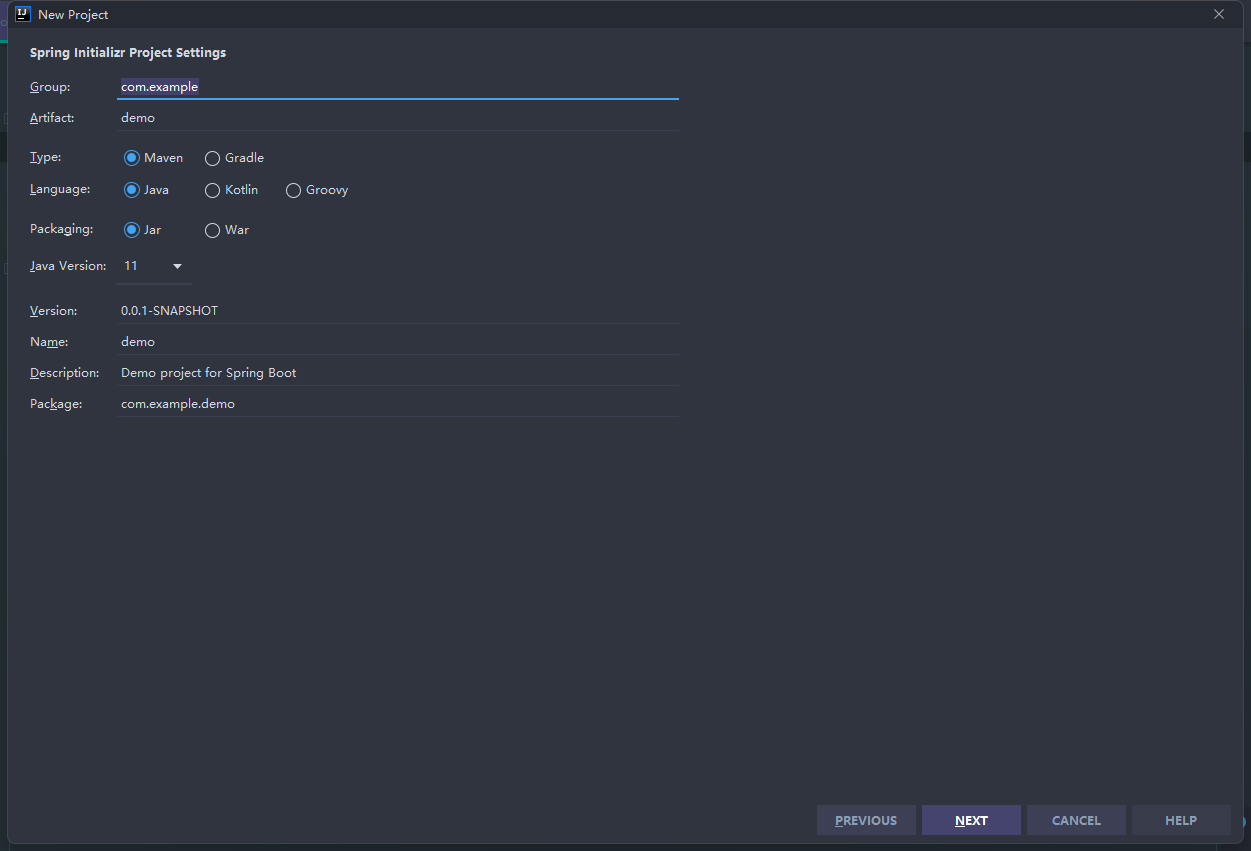
官方直接提供了一个快速生成的网站,IDEA也集成了这个网站
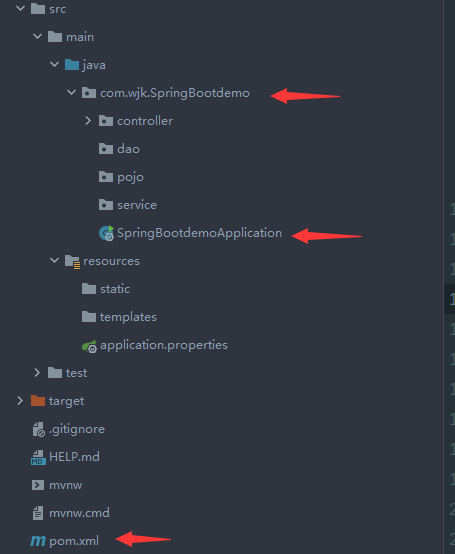
项目结构
项目配置文件概述
controller层demo(编写HTTP接口):
1
2
3
4
5
6
7
8
9
10
11
12
13
14
15
16
17
| package com.wjk.SpringBootdemo.controller;
import org.springframework.stereotype.Controller;
import org.springframework.web.bind.annotation.RequestMapping;
import org.springframework.web.bind.annotation.RestController;
@RestController
public class HelloController {
@RequestMapping("/hello")
public String hello(){
return "hello,world";
}
}
|
SpringBootApplication:
1
2
3
4
5
6
7
8
9
10
11
12
13
14
15
16
17
| package com.wjk.SpringBootdemo;
import org.springframework.boot.SpringApplication;
import org.springframework.boot.autoconfigure.SpringBootApplication;
@SpringBootApplication
public class SpringBootdemoApplication {
public static void main(String[] args) {
SpringApplication.run(SpringBootdemoApplication.class, args);
}
}
|
pom.xml配置信息(核心):
parent: 继承父项目的依赖管理,控制版本和打包等
1
2
3
4
5
6
7
|
<parent>
<groupId>org.springframework.boot</groupId>
<artifactId>spring-boot-starter-parent</artifactId>
<version>2.6.3</version>
<relativePath/>
</parent>
|
dependencies:项目具体依赖
spring-boot-starter 所有的spingboot依赖都是使用这个开头的
1
2
3
4
5
6
7
8
9
10
11
12
13
14
| <dependencies>
<dependency>
<groupId>org.springframework.boot</groupId>
<artifactId>spring-boot-starter-web</artifactId>
</dependency>
<dependency>
<groupId>org.springframework.boot</groupId>
<artifactId>spring-boot-starter-test</artifactId>
<scope>test</scope>
</dependency>
</dependencies>
|
build:构件配置部分
1
2
3
4
5
6
7
8
9
| <build>
<plugins>
<plugin>
<groupId>org.springframework.boot</groupId>
<artifactId>spring-boot-maven-plugin</artifactId>
</plugin>
</plugins>
</build>
|
IDEA快速创建